


• UI Lead
• 3D Art & Animation
How might we teach users a better model of human comfort?
• A climate control interface
• An animated avatar character
• Sketch
• Blender
• Photoshop
• Three.js
What we think makes us comfortable—not too hot, not too cold—is simply air temperature. Everyone has their temperature they set their thermostat to. "If it's not 72 degrees, I'm uncomfortable," or "I sleep best at 68 degrees." Why is it then, that there are often several points throughout the day where our comfort is not ideal and we feel too cold or too hot?
In reality there are more than seven different factors that determine how comfortable you feel in a given climate, air temperature is just one. Through simulating your environment and making complex calculations of physics, we can make better A/C and Heating decisions. You'll be more comfortable and the HVAC system will be more cost-efficient.

Comfort Level =
Air Temperature

Comfort Level =
Air Temperature
Air Flow Speed
Relative Humidity
Radiant Temp
Metabolic Rate
Skin Surface Area
Clothing Insulation
PassiveLogic is building generalized autonomy through an ecosystem of software that empowers architects, engineers, and building owners to design, simulate, and manage their buildings and it’s systems. Most importantly, this platform enables their building to autonomously manage itself. This artificial intelligence finds efficiencies and solves problems on it’s own.
PassiveLogic’s first-of-its kind hardware includes self-powered, wireless sensors called the Sense Nano and interconnected control units with touch screen interface called the Hive.
Human comfort is just one problem this ecosystem solves, but building occupants can interface with these wall-mounted Hive touch screens to make climate adjustments. Or building owners can access the same interface from any web connected device.
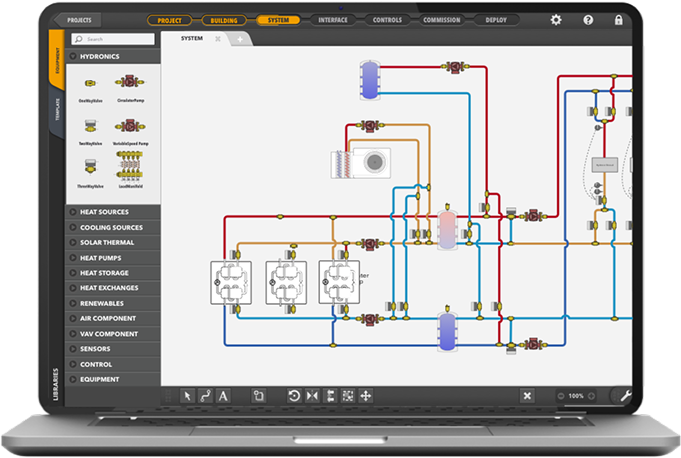
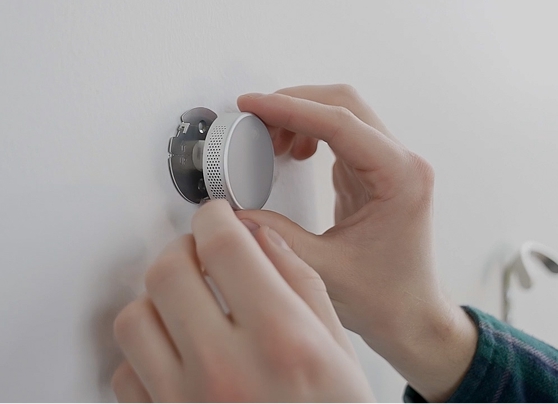


The comfort interface is a major step building the PassiveLogic ecosystem because it is our first point of contact with building occupants and its representative of the suite of new technologies and paradigm shifts we're bringing to market. At the same time, we're introducing it under a pilot program with a major logistics client that operates thousands of buildings across the world. If the introduction is a success they'll contract thirty more building installations with us.
As a UX/UI designer, my focus is advocating for the actual user and communicating with leadership how that will translate to ROI. The occupants of this first commercial building are used to thermostats, and just care about maintaining a comfortable environment. If our new interface is confusing, frustrating, and less functional than they're use to, our client will hear their complaints.
I was handed a basic design (below) by another UX designer on the team and tasked with refining the UI and inventing the Comfort Persona Avatar.
The interface is in two major parts: the 3D building and the Comfort Controls. the left side is a 1:1 model of the actual building that users can navigate, selecting any room in their building to make settings changes. The Comfort Controls aims to convey where our system's prediction of current comfort and the place where users can make climate adjustments.
of your building. They have a clothing setting and an activity setting, both of which effect how comfortable a person would be in a particular environment. Users can use preset personas, make custom adjustments and effectively control multiple climate zones in one place.
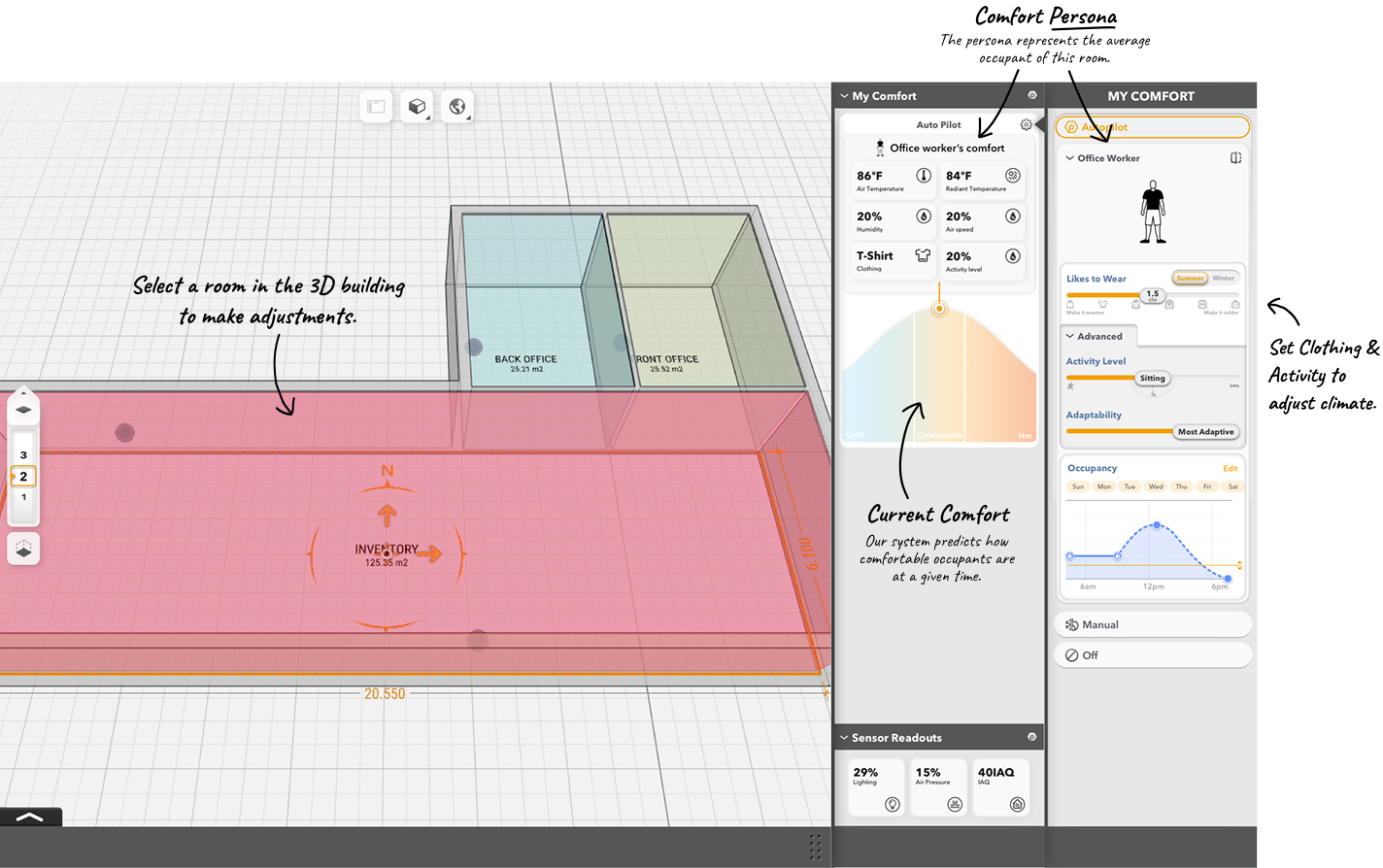
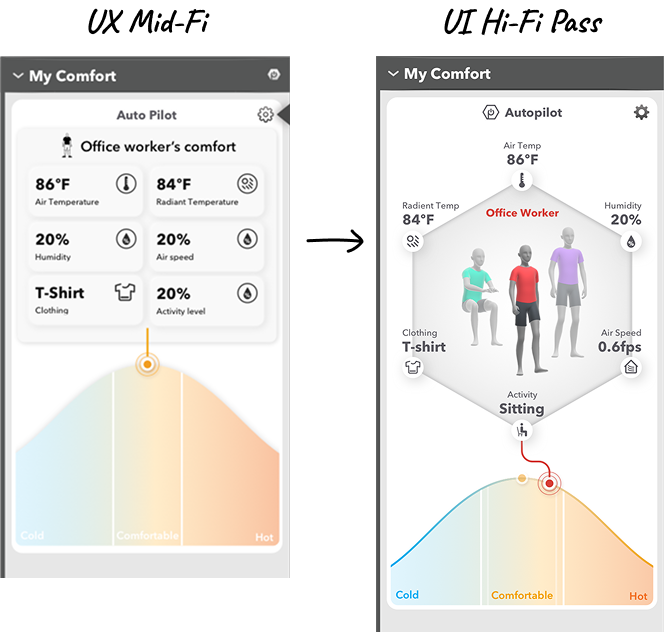
We chose to represent the Comfort Persona idea with a dynamic human character. It reflects the clothing and activity settings as they change and helps communicate the new model of comfort.
I drew inspiration from DaVinci's Vitruvian Man to communicate the modern comfort model, with each factor like radiant temperature and humidity along the perimiter and coming together to form a single comfort level. How comfortable this persona is is represented on the curve below.
My main goal was bringing clarity to the interface through visual refinement and creating the persona avatar.
Innovation is an essential of the PassiveLogic brand. Its state-of-the-art technology under the hood, so the surface the user interacts with should reflect that. We Harnessed the latest WebGL Three.js framework to bring real time, interactive 3D to our interface. The avatar reflects changes to clothing and activity setting in real time.
I modeled, textured, rigged the 3D avatar in Blender. Most of the animations were sourced from Mixamo, but I also cleaned up hose and created some addtional animations and collaborated closely with the developers in implementation and bug fixing.
Because the Persona is an amalgamation of an average, it was important it was visually neutral, while not being boring. The non-specific features and grey body let the user embody this character in their minds.
In keeping with that, I was determined to not exclude any user because of an unconscious bias toward a certain skin tone or gender. The avatar went through several iterations to create a balanced, appealing look that felt inclusive.
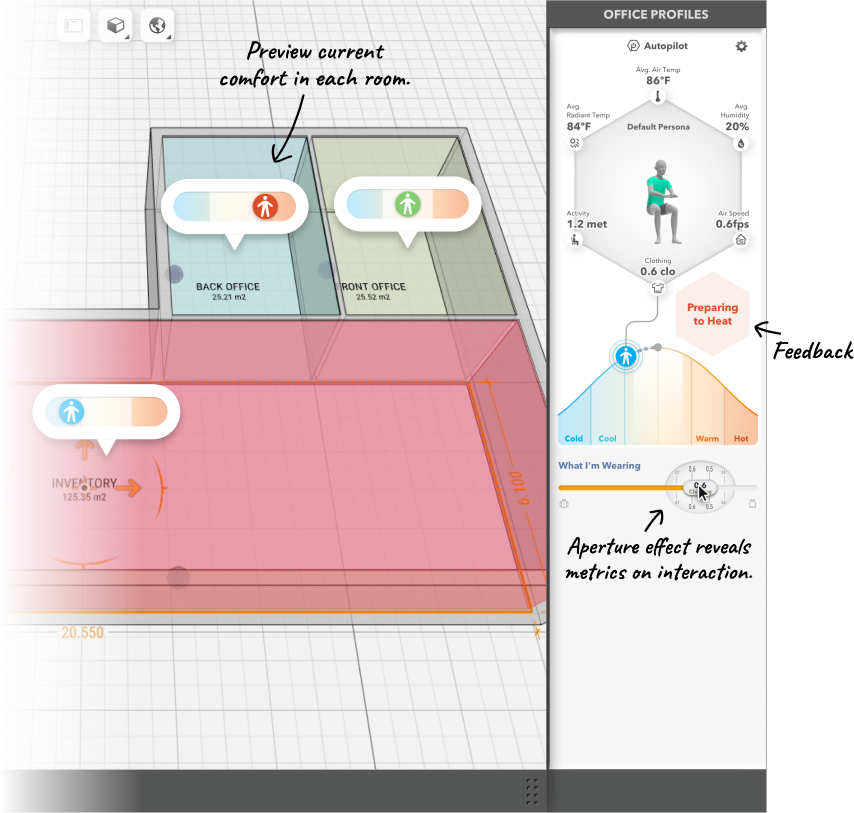
With the pilot program, the interface was in the hands of real users, controlling a real building system. We watched and listened closely, gathered user feedback, and iterated rapidly. Remember, It was make or break time for a large contract.
Important refinements we made include:
In attempting to increase clarity it's common to make the mistake of adding. More labels, more arrows, more icons. But the most powerful tool we have is removing. We found users were getting overwhelmed by the interface and couldn't find where to make adjustments. Instead of multiple sliders, we reduced the main flow to one and made it more discoverable.
Our users complained they weren't sure changing the clothing slider was having an effect. Understandable, because the HVAC system may choose to not turn on immediately in response to the change. We added a "preparing to heat/cool" indicator when the user moves the slider.
We added comfort status bubbles to each climate zone in the 3D building so users immediately understand the state of their building and are encouraged to interact with it.
The pilot program lasted 3 months in which we rapidly shipped design improvements and was a satisfying success. The client was impressed and excited about the potential in adopting our product in their buildings throughout the world. They signed the contract for another thirty buildings to begin installation immediately. This is planned to just be the first in many more sets of buildings for this client.
As a design team we learned communicating complexity was possible, but to practice disciplined use of "progressive disclosure." The user will get saturated with information, especially when introduced to knew concepts, so dispense just the right information just when they need it.

© Jacob Whitlow